Card Control

Manage your Lake Ridge Bank debit card anytime and anywhere. Use the mobile app to lock or unlock your card, set spending limits, get real-time alerts, and more.


Download on the App Store Get It On Google Play
Lake Ridge Bank Logo Top

Smarter, Safer Spending Starts Here

Card Control puts you in charge of your debit card, giving you the tools to manage security, spending, and alerts right from your phone.

Checkmark

Lock and Unlock Instantly

Lost your card or just want extra security? Freeze and unfreeze it with a tap.

Checkmark

Set Spending Limits

Customize daily limits to help manage your budget or prevent unauthorized use.

Checkmark

Real-Time Alerts

Get instant notifications for transactions, declines, and suspicious activity.

Checkmark

Travel Notifications

Let us know when you’re on the move so your card works wherever you go.

Checkmark

Control by Merchant Type

Limit where your card can be used, like ATMs, online stores, or in-person purchases.

Checkmark

Built into the App

No extra downloads—everything is available in your Lake Ridge Bank mobile app.
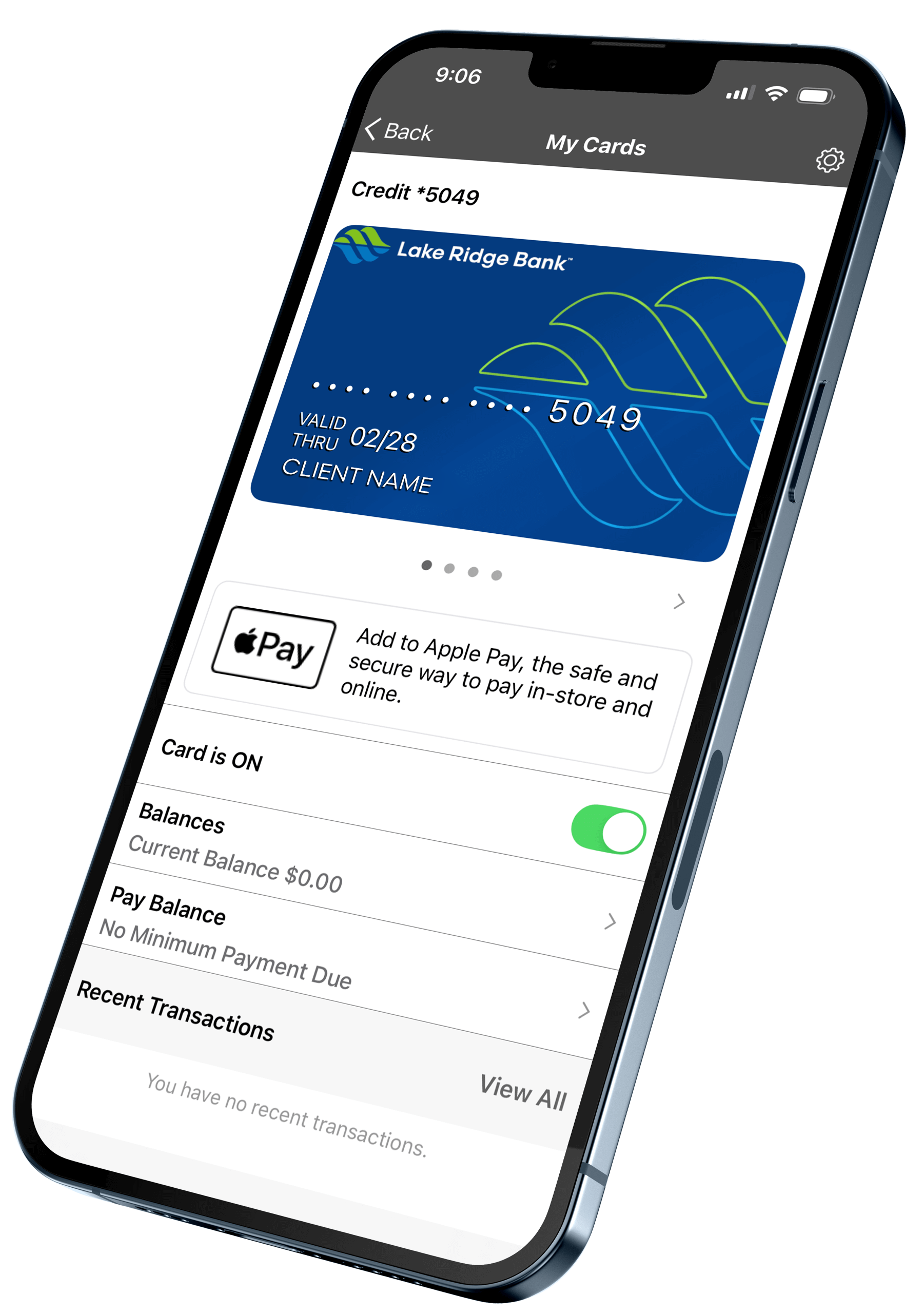
card control mobile view

Take Full Control of Your Card

debit, credit card icon

Debit Cards

Access your money securely with a card designed for everyday purchases, ATM use, and contactless payments.

Get Started
mobile banking icon

Mobile Banking

Manage your card anytime from your phone. Set alerts, monitor activity, and take action on the go.

Download the App
fraud protection icon

Fraud Protection

Keep your account safe with real-time alerts and automatic monitoring that helps detect and stop suspicious activity.

Explore Features
computer banking icon

Online Banking

Log in from your computer to view balances, manage your card, pay bills, and track spending—all in one place.

Sign In Now

Access on the App

Download on the App Store Get It On Google Play

Frequently Asked Questions

How do I get started with Card Control?

Simply log in to the Lake Ridge Bank Mobile Banking app and tap “Cards” on the main menu. From there, you can view and manage your debit or credit cards.

Will I be logged out automatically?

Yes. For your security, the app will log you out after 10 minutes of inactivity.

What can I do with Card Control?

You can: Lock/unlock your cards instantly, Set spending limits by merchant, location, type, or dollar amount , Block international transactions , View subscriptions and see where your card is stored online , Add your card to Apple Pay® or Google Pay™ , Set and manage travel plans , Get real-time alerts for transactions , Report lost or stolen cards , View spending insights and detailed transaction history.

What if I don’t see the “Cards” option in the app?

Check that your app is up to date. Go to your app store and update the Lake Ridge Bank app if needed.

Can I use Card Control for multiple cards?

Yes, you can manage multiple Lake Ridge Bank debit or credit cards within the same Mobile Banking account.

Banknotes Blog

View All Posts

Market Report: March 2026

Lions and Lambs February is now behind us, and all eyes are on the weather as spring draws near. March is a month of transition, and many look to the old proverb “in like a
Read Post
Woman on her phone

A Better Way to Pay: Zelle Gets an Upgrade

We’re making an improvement to your digital banking experience. Zelle® will soon move to its own dedicated space within Lake Ridge Bank Online and Mobile Banking.  To complete this upgrade, Zelle will be temporarily unavailable from Tuesday,
Read Post

Market Report: February 2026

A Day at the Theme Park Theme parks like those at Walt Disney World are popular with both young and old, as they provide a journey into a world of fantasy. A trip to Disney
Read Post

Meet Your Business Banker: Jessica Sarbacker

Jessica SarbackerVice President-Crop Insurance Manager2605 Kennedy Road, JanesvilleJSarbacker@lakeridge.bank(608) 490-2241 Q: What is your role at the bank? Jessica: I became the first full-time crop insurance associate at Lake Ridge Bank in 2011. As our bank’s
Read Post