Business Mobile Banking

With Lake Ridge Bank’s Business Mobile App, you can bank securely from anywhere: check balances, transfer funds, pay bills, and approve transactions on the go.


Download on the App Store Get It On Google Play
Lake Ridge Bank Logo Top

Mobile Banking That Works Wherever You Do

Our Business Mobile App gives you the freedom to manage your finances on your schedule—with tools designed to keep your business moving.

Checkmark

Secure Access Anywhere

Log in safely from your phone or tablet—anytime, anywhere.

Checkmark

On-the-Go Approvals

Authorize transactions and payments when you’re out of office.

Checkmark

Account Management

Check balances, view history, and transfer funds with ease.

Checkmark

Mobile Bill Pay

Pay bills straight from the app, no matter where you are.

Checkmark

Real-Time Alerts

Monitor your credit score without hurting it.

Checkmark

Simple & Intuitive

Designed for busy business owners, not tech experts.

Checkmark

Local Support

Questions? Our team is just a call away.
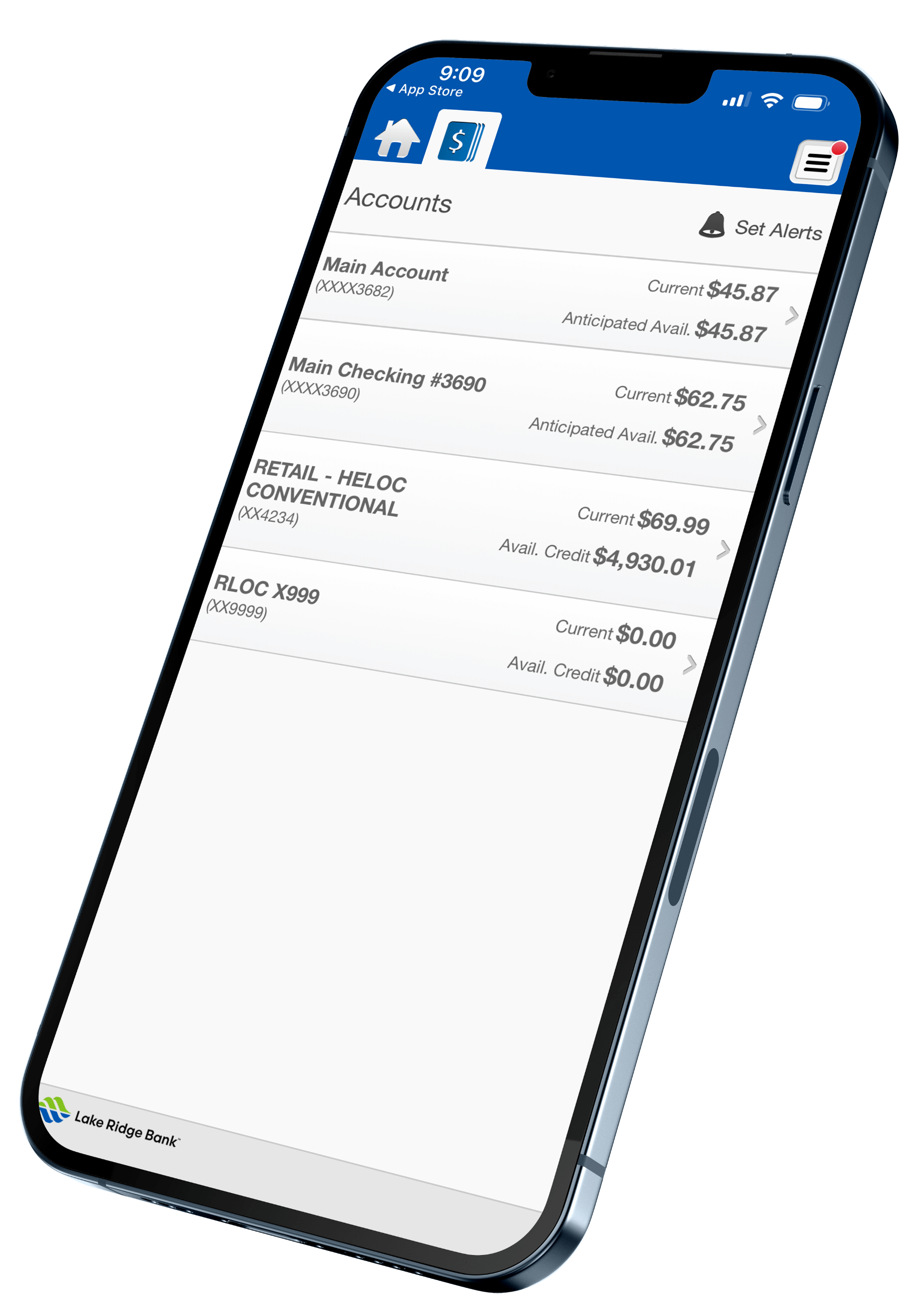
business mobile banking screen on the lakeridge bank mobile app

Enhance Your Mobile Banking Experience

Auto Loans

Online Banking

Get the full picture. Use Business Online Banking alongside the mobile app to manage accounts, transfer funds, and access more advanced tools.

Explore Online Banking
Mortgages

Account Alerts

Stay ahead of account activity with real-time mobile alerts for low balances, large transactions, and more.

Set Up Alerts
Money Transfer

Online Bill Pay

Pay vendors, schedule payments, and view payment history—right from the mobile app once you’re enrolled in Business Bill Pay.

Simplify Payments on the Go
Savings

Fraud Protection

Help keep your mobile banking secure with added fraud monitoring and controls like Positive Pay and ACH safeguards.

See Fraud Protection Tools

Get Started with Mobile Banking

Download on the App Store Get It On Google Play

Frequently Asked Questions

How do I set up mobile alerts from Online Banking?

Log in to Business Online Banking and go to Account Services > Messenger. Choose the alert you want, enter your contact info (email or SMS), and submit. Alert types include: Daily balance updates, Low balance alerts, Deposit notifications, Check cleared alerts.

Can I set up alerts in the mobile app?

Yes. Open the app, tap More, then Alert Setup to manage account, security, and scheduled alerts, and to review recent alert history.

How do I enroll in Business Mobile Banking?

Business Mobile is available to all Business Online Banking users. Once enrolled in Online Banking, simply download the Lake Ridge Bank Business Mobile App and log in with your existing credentials. Need help? Call us at (608) 223-3000.

What are my login credentials for the Business Mobile app?

Use the same User ID and Password you use for Business Online Banking.

Is there a cost to use Business Mobile?

Lake Ridge Bank does not charge a fee for Business Mobile. However, standard data and message rates from your mobile carrier may apply. Some advanced features may carry a fee.

Banknotes Blog

View All Posts
Meet Stanley

Meet Your Banker: Stanley Koopmans

Stanley Koopmans, MBASenior VP – Business Banking Sales Manager(608) 849-2778341 W. Cottage Grove Road, Cottage GroveSKoopmans@lakeridge.bank What is your role at the bank? One aspect of my job as Business Banking Sales Manager that I
Read Post
buisnessmen looking out over manufacture

Making Banking Easier: Is it Better to Buy or Lease Equipment?

A variety of industries rely on equipment to function efficiently and effectively, including: Many business owners and public entities utilize commercial loans to meet a variety of financial needs, but did you realize that banking
Read Post
woman holding on mans arm

Preparing for Retirement: Ways to Build Wealth Beyond Your Business

For many business owners, the land, building, equipment and proprietary client list associated with the business become both your income generator and the majority of your net worth. Making your business your primary source of
Read Post
business man looking at reports

Market Report: August 2026

Repeat or Rhyme? “History doesn’t repeat itself, but it often rhymes” is a quote often attributed to Mark Twain, although there is no actual evidence of him using that statement (it appears that the quote
Read Post