Personal Finance Manager

Our easy-to-use budgeting tool helps you track spending, monitor balances, set savings goals, and view all your accounts in one place.

Lake Ridge Bank Logo Top

Take Control of Your Budget

See your full financial picture by connecting all your accounts in one place. Track spending, manage your budget, and stay on top of your goals.

Checkmark

All Accounts in One View

Link checking, savings, credit cards, loans, investments, and more—even from other banks.

Checkmark

Quick Budget Setup

Create a budget in minutes and track spending automatically by category.

Checkmark

Insightful Charts

View income, expenses, and cash flow with easy-to-read graphs.

Checkmark

Savings Goals

Set goals, get alerts near limits, and monitor your progress.
Try Our Demo
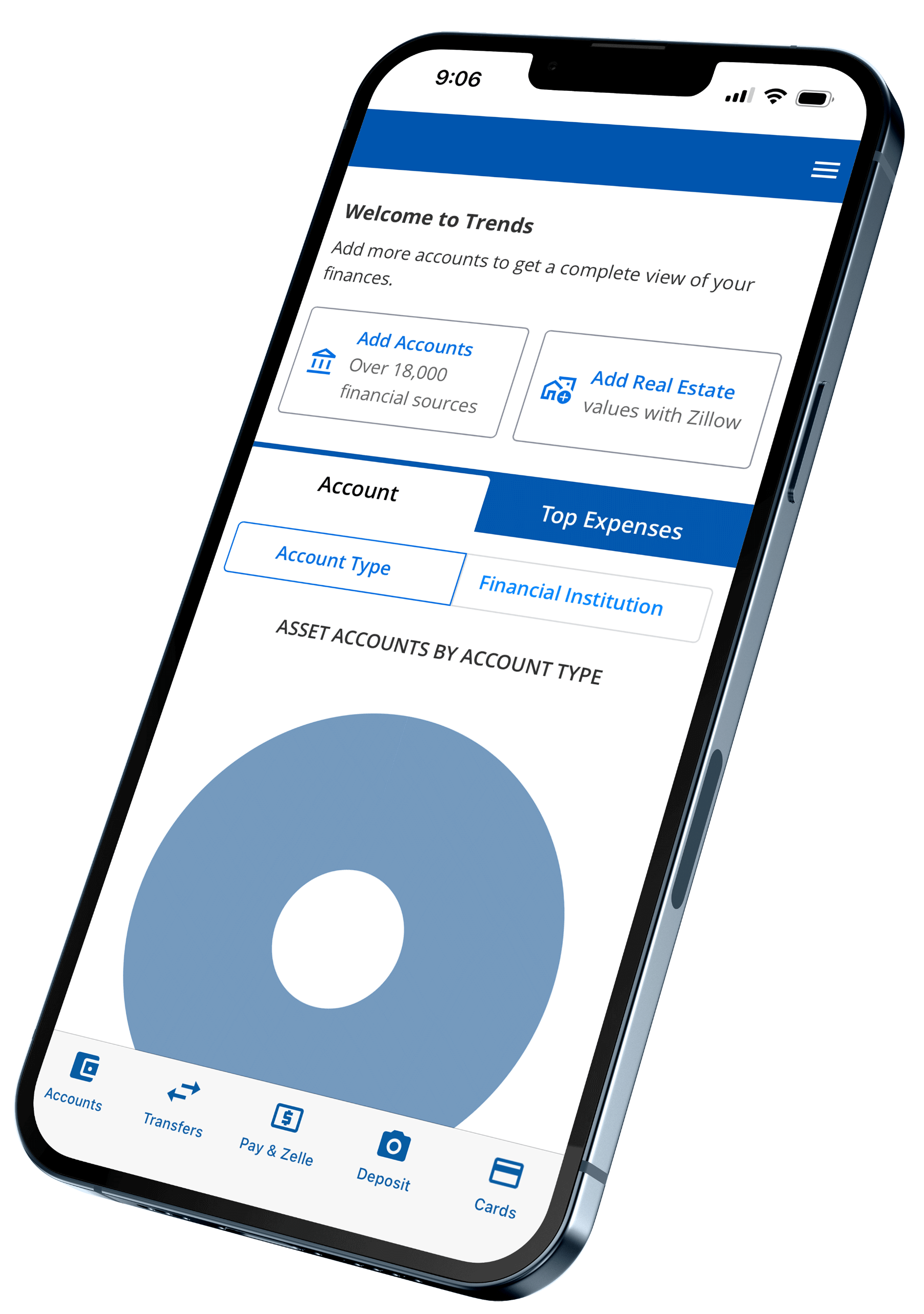
personal finance managaer screen on the lakeridge bank mobile app

Part of Your Financial Toolkit

computer banking icon

Online Banking

Log in anytime to move money, pay bills, or check balances—all with a few clicks.

Explore Online Banking
mobile banking icon

Mobile Banking

Stay connected to your accounts on the go with an app that makes managing money effortless.

Download Now
personal finance manager icon

Credit Sense

Keep tabs on your credit score, get alerts on changes, and access personalized tips to improve it.

Check Your Score
bill pay icon

Checking

Choose a checking account that fits your life, with flexible features and no hidden fees.

Explore Accounts

Log In to Access Personal Finance Manager

Frequently Asked Questions

How do I enroll in Personal Finance Manager?

Just log in to Online Banking and click Budget in the main menu to get started. No separate sign-up is required.

Do I need to add my Lake Ridge Bank accounts manually?

No. All of your Lake Ridge Bank accounts are automatically included within the tool.

Can I add accounts from other banks?

Yes. In the Accounts section of your dashboard, click Add Accounts. If your institution isn’t listed, choose “Add an offline account” at the bottom of the window.

How far back does my transaction history go?

For Lake Ridge Bank accounts, you’ll see up to 365 days of transaction history. External accounts may vary depending on the other financial institution’s system.

What if a transaction is marked as ‘Uncategorized’?

Click on the word “Uncategorized” next to the transaction and select the appropriate category. You can also create your own by selecting Add/Edit Your Categories.

Banknotes Blog

View All Posts
Celebrating Jordon Geiger on being promoted to Chief Wealth Management Officer.

Lake Ridge Bank Elevates Jordon Geiger to C-Suite

May 11, 2026 (MADISON, Wis.) – Lake Ridge Bank has added a new position to its Executive team, elevating Jordon Geiger from Senior Vice President & Senior Trust Officer to Chief Wealth Management Officer, effective
Read Post
business professional approving documents

What Businesses Need to Know About the New ACH Requirements

We want to help our ACH origination clients remain compliant with the new National Automated Clearing House Association (NACHA) rules that became effective in 2026. One of the most significant updates is an increased emphasis
Read Post
business man looking at reports

Market Report: May 2026

Statistics Have you noticed that the world is enamored with statistics? Sports, weather, political polling, education…everywhere you look someone is putting together statistical data on virtually every subject imaginable. The thing about statistics, though, is
Read Post
Meet Paul Hoffmann - President of Lake Ridge Bank

Meet Your Banker: Paul Hoffmann

Paul Hoffmann – Lake Ridge Bank President8301 University Ave. Middleton, WI Q: What is your role at the bank? As the President at Lake Ridge Bank, I am ultimately responsible for managing daily operations such
Read Post