Card Control

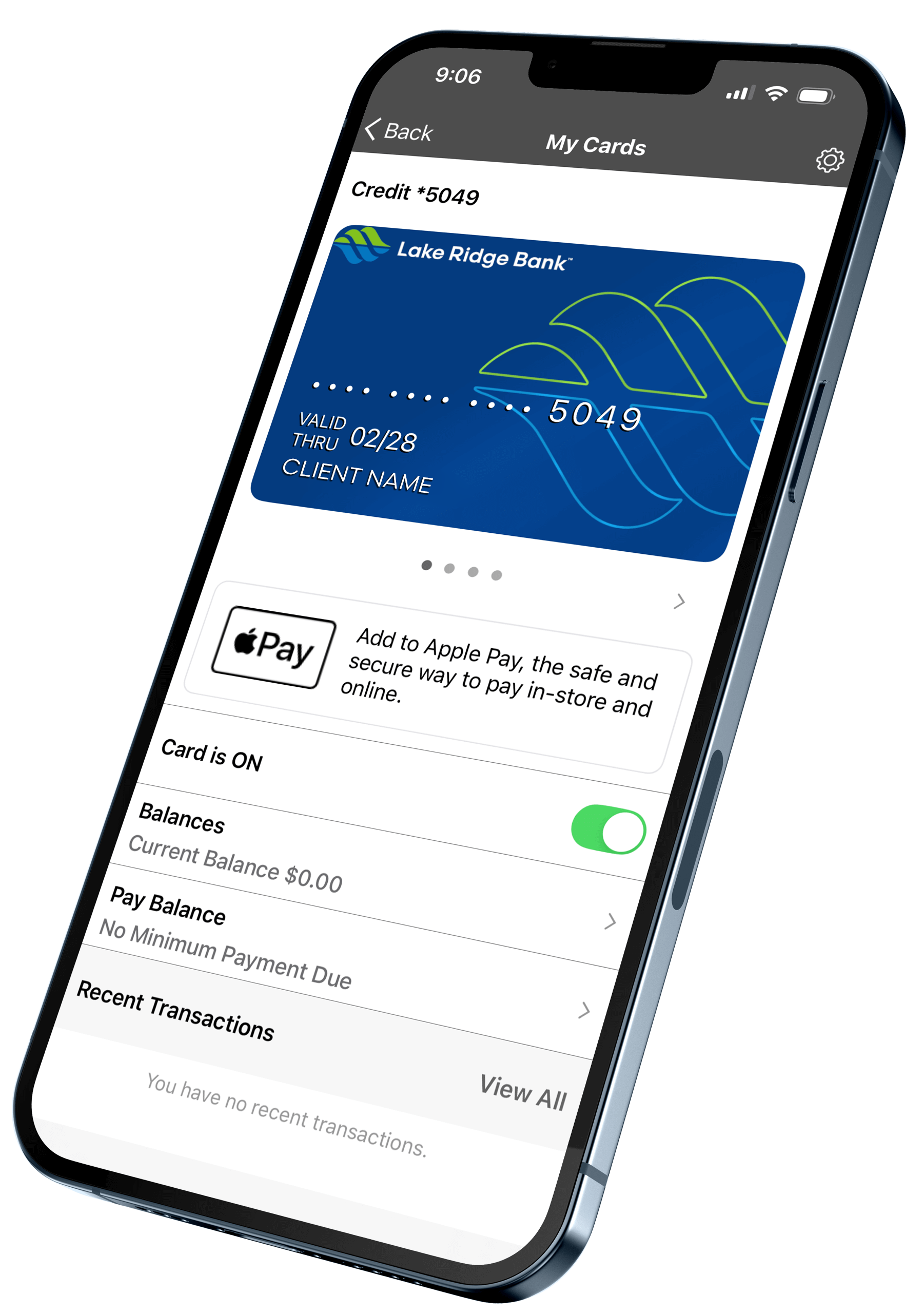
Manage your Lake Ridge Bank debit card anytime and anywhere. Use the mobile app to lock or unlock your card, set spending limits, get real-time alerts, and more.


Download on the App Store Get It On Google Play
Lake Ridge Bank Logo Top

Smarter, Safer Spending Starts Here

Card Control puts you in charge of your debit card, giving you the tools to manage security, spending, and alerts right from your phone.

Checkmark

Lock and Unlock Instantly

Lost your card or just want extra security? Freeze and unfreeze it with a tap.

Checkmark

Set Spending Limits

Customize daily limits to help manage your budget or prevent unauthorized use.

Checkmark

Real-Time Alerts

Get instant notifications for transactions, declines, and suspicious activity.

Checkmark

Travel Notifications

Let us know when you’re on the move so your card works wherever you go.

Checkmark

Control by Merchant Type

Limit where your card can be used, like ATMs, online stores, or in-person purchases.

Checkmark

Built into the App

No extra downloads—everything is available in your Lake Ridge Bank mobile app.
Personal Mobile Banking Card Controls

Take Full Control of Your Card

debit, credit card icon

Debit Cards

Access your money securely with a card designed for everyday purchases, ATM use, and contactless payments.

Get Started
mobile banking icon

Mobile Banking

Manage your card anytime from your phone. Set alerts, monitor activity, and take action on the go.

Download the App
fraud protection icon

Fraud Protection

Keep your account safe with real-time alerts and automatic monitoring that helps detect and stop suspicious activity.

Explore Features
computer banking icon

Online Banking

Log in from your computer to view balances, manage your card, pay bills, and track spending—all in one place.

Sign In Now

Access on the App

Download on the App Store Get It On Google Play

Frequently Asked Questions

What types of transactions appear in Card Control?

Only card-based transactions are shown. Account activity like teller transactions or bill payments will not appear.

Can I see my recent transaction history in the app?

Yes. You’ll see up to 50 card transactions posted within the last 30 days, starting from your registration date in Card Control.

Why does my login fail even when I enter the correct password?

After three failed login attempts, your account is disabled for security reasons—even if the third attempt is correct. Please call 855-256-7328 to unlock your account.

What happens if I lose my card?

You’ll need to manually add your new card in the app under Menu > Edit Cards > Add New Card. The old card can’t be removed but can be unmanaged.

How do I get started with Card Control?

Simply log in to the Lake Ridge Bank Mobile Banking app and tap “Cards” on the main menu. From there, you can view and manage your debit or credit cards.

Banknotes Blog

View All Posts
Meet Jen

Meet Your Banker: Jen Doescher

Jen DoescherRetail Manager1740 Springdale St.Mount Horeb, WIJDoescher@lakeridge.bank(608) 416-4835 Q: What is your role at the bank? I began my banking career with Lake Ridge Bank in 2002 as a Customer Service Representative and later as
Read Post

Market Report: October 2026

Badger Football and the Economy Going into this season, the Wisconsin Badgers football team had a lot of uncertainty to deal with, from a new quarterback (another one!), multiple new players, a coach on a
Read Post

Take Your Bank to School with You: Tips for Banking Away from Home

As the high school graduation dust settles, young adults everywhere are forging their own paths into society. While each possibility requires some financial preparation, going away to college or technical school often comes with questions
Read Post

Making Banking Easier: Tips for Building Your Credit History

Building a credit history is a little like getting your first job. Everyone wants you to have experience, but how do you get experience until someone gives you your first job? Additionally, building credit takes
Read Post