Announcement Indicator

Online Lending Applications Temporarily Down
Our commercial, consumer loan, and credit card online application systems are currently experiencing technical issues and are temporarily unable to accept applications. While we work to restore service, please contact your banker for assistance with completing your application. We apologize for the inconvenience and appreciate your patience.

Card Control

Manage your Lake Ridge Bank debit card anytime and anywhere. Use the mobile app to lock or unlock your card, set spending limits, get real-time alerts, and more.

Download on the App Store Get It On Google Play
Lake Ridge Bank Logo Top

Smarter, Safer Spending Starts Here

Card Control puts you in charge of your debit card, giving you the tools to manage security, spending, and alerts right from your phone.

Checkmark

Lock and Unlock Instantly

Lost your card or just want extra security? Freeze and unfreeze it with a tap.

Checkmark

Set Spending Limits

Customize daily limits to help manage your budget or prevent unauthorized use.

Checkmark

Real-Time Alerts

Get instant notifications for transactions, declines, and suspicious activity.

Checkmark

Travel Notifications

Let us know when you’re on the move so your card works wherever you go.

Checkmark

Control by Merchant Type

Limit where your card can be used, like ATMs, online stores, or in-person purchases.

Checkmark

Built into the App

No extra downloads—everything is available in your Lake Ridge Bank mobile app.
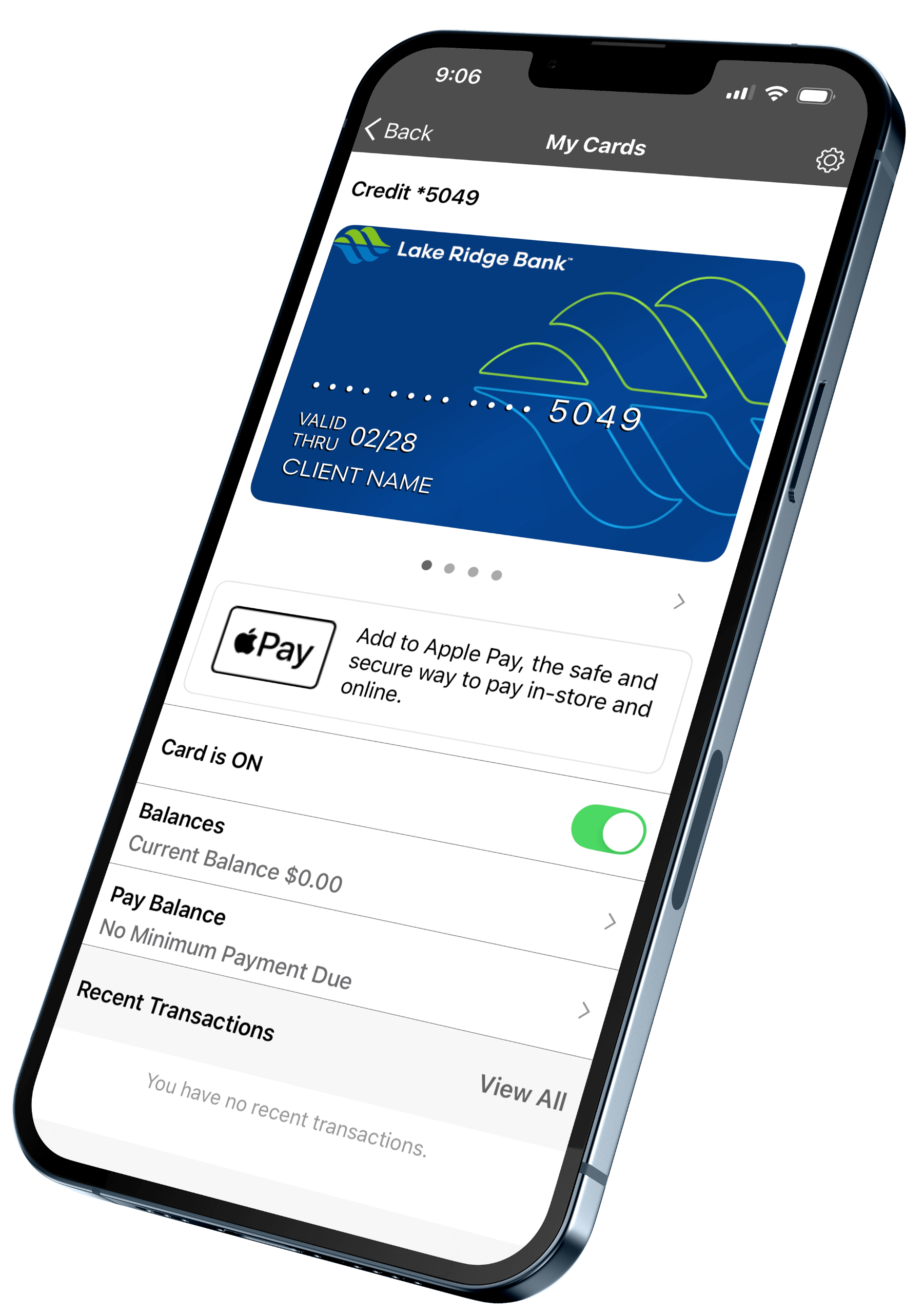
Personal Mobile Banking Card Controls

Take Full Control of Your Card

debit, credit card icon

Debit Cards

Access your money securely with a card designed for everyday purchases, ATM use, and contactless payments.

Get Started
mobile banking icon

Mobile Banking

Manage your card anytime from your phone. Set alerts, monitor activity, and take action on the go.

Download the App
fraud protection icon

Fraud Protection

Keep your account safe with real-time alerts and automatic monitoring that helps detect and stop suspicious activity.

Explore Features
computer banking icon

Online Banking

Log in from your computer to view balances, manage your card, pay bills, and track spending—all in one place.

Sign In Now

Access on the App

Download on the App Store Get It On Google Play

Frequently Asked Questions

Do I need to manually add a replacement or reissued card?

No. Replacement cards are automatically updated in the Lake Ridge Bank Mobile Banking app.

Can I use Card Control with cards from other banks?

No. Card Control is only available for Lake Ridge Bank debit and credit cards.

How do I turn on alerts or controls for specific transactions?

Go to the “Alerts & Controls” section in the app to customize preferences by merchant type, transaction type, or amount.

What’s the purpose of setting a primary device?

The primary device determines location tracking for “My Location” controls and receives all fraud and transaction alerts. You can change the primary device under Settings > Primary Device.

How does “My Location” or “My Regions” work?

Card Control compares your phone’s GPS with the merchant’s location. If both match, the transaction is approved. Some merchants use corporate addresses instead of physical locations, which may affect the results.

Banknotes Blog

View All Posts

Market Report: November 2026

Rock, Sand, or Gravel Many of us who attended Sunday school when we were kids remember a song titled “The Wise Man Built His House Upon the Rock,” that, believe it or not, can be
Read Post
Handsome man offering surprise

Turn Your Credit Card Rewards Points Into Visa® and Mastercard® Gift Cards
The holiday season is here, and your Lake Ridge Bank credit card rewards points can help make shopping a little easier! Whether you’re checking names off your holiday shopping list or treating yourself to something
Read Post
Meet Cora Lake Ridge Banks Online Resource Assistant

Meet CORA: Lake Ridge Bank’s Online Resource Assistant
At Lake Ridge Bank, we’re always looking for ways to make banking easier and more convenient for you. That’s why we’re excited to introduce Cora, our new AI-powered phone and chat assistant! Whether you have
Read Post
Meet Your Banker

Meet Your Banker: Ophelia Bailly

Ophelia BaillyAVP Card Services and Portfolio Manager608-310-12655515 Monona Drive, Mononaobailly@lakeridge.bank 1. What is your role at the bank? What are some things that you help bank customers with? Why might people interact with you at
Read Post